
Connection or browser issue
Try another browser, clear the cache, switch between Wi-Fi and mobile data or restart the router. Outdated browsers can also fail to load the site.
Stake runs one of the largest casinos and sportsbooks online, and a single account opens the same lobby, cashier and bet history on any device. This guide, a companion to our Stake review, explains how to sign in with an email or username, use two-factor codes, reset a forgotten password and spot phishing copies of the site. Log in to check your position in the $100,000 Daily Races and the Weekly Raffle.
Current Stake promotions: Weekly Raffle $75,000 · Daily Races $100,000 · Wheel Wars $150,000 a month
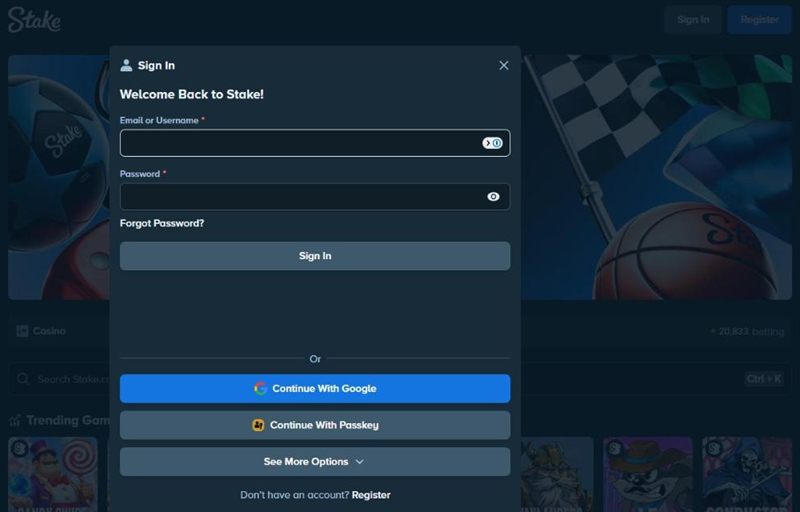
Before typing anything, look at the address bar. The domain should read stake.com with a padlock icon — nothing added before or after it. Then:
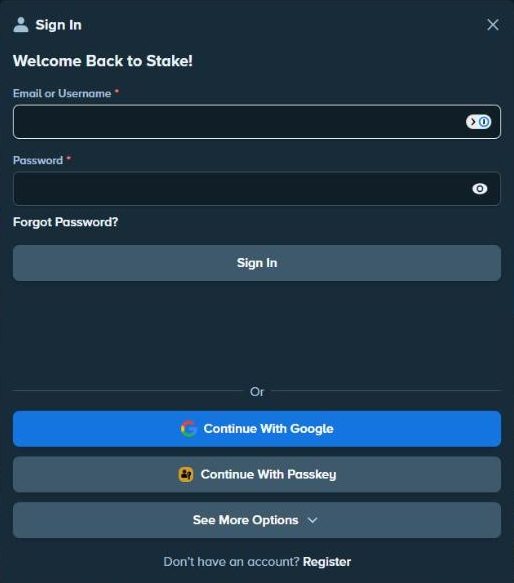
You will stay logged in on that browser until you sign out or the session expires. On a shared or office computer, always sign out manually when you are done.
There is no separate login for mobile: the same account works in Chrome, Safari or any modern mobile browser. Open stake.com, tap “Sign in” and follow the same steps. If you added Stake to your home screen, the shortcut opens the same site and keeps you signed in like an app would. Our Stake app guide explains how to set up the shortcut on Android and iPhone. When you switch to the authenticator app to copy the code, come back quickly — codes change every 30 seconds.
With 2FA switched on, a password alone is not enough to open your account. That protection works both ways: if you lose the phone with your authenticator, you are locked out too.
Install an authenticator app on the new phone and add the Stake entry manually using the backup key you stored when setting up 2FA. The codes will match again immediately.
Contact Stake support through live chat or at support@stake.com from the email linked to your account. Support will typically ask you to confirm your identity before removing 2FA, which may involve KYC documents. Expect this to take longer than a normal login.
Never share a 2FA code. No legitimate support agent needs your password or the code from your authenticator app. Anyone asking for them in chat, on Telegram or by phone is trying to take over your account.
Code rejected? Authenticator codes depend on the clock. Turn on automatic date and time on your phone and try again.
No email? Check spam and the Promotions tab. If you no longer have access to that inbox, only Stake support can help — they will verify that you own the account before changing the email address.
An account that will not let you in is not always a technical problem. These are the usual reasons and the right next step for each:
| Situation | Likely cause | What to do |
|---|---|---|
| Too many failed attempts | Temporary security lock | Wait, then reset the password instead of guessing |
| Message about verification | Pending KYC request, e.g. before a Stake withdrawal | Upload the requested documents in the Verification tab |
| Self-exclusion active | Exclusion you set yourself | Exclusions run for the chosen period; contact support for the rules |
| Account closed or suspended | Terms issue, e.g. duplicate accounts or restricted location | Ask support for the reason in writing |
| Unknown login alert | Possible account takeover | Reset password, enable 2FA, contact support immediately |
Live chat is available 24/7 on stake.com, and email at support@stake.com. Write from the email linked to the account and include your username — never your password. Do not open a second account while the first one is locked; Stake's terms allow one account per person.
Many Indian players search for a “Stake mirror” or “new Stake link” when the site does not load. Before anything else, work out why it is not opening:
Try another browser, clear the cache, switch between Wi-Fi and mobile data or restart the router. Outdated browsers can also fail to load the site.
Short service interruptions do happen. Stake's social channels usually post updates.
The Stake licence is issued in Curaçao, and Stake's terms restrict access from certain jurisdictions; internet providers may block gambling sites under local rules. Getting around such restrictions can breach the terms and put the account at risk.
Online money games are prohibited under India's Promotion and Regulation of Online Gaming Act, 2025, and states have their own laws. Check the rules that apply to you; this is not legal advice.
About mirror sites: we only point to stake.com. Pages calling themselves “Stake mirror”, “Stake India login” or “Stake new link” that are shared on Telegram, WhatsApp, YouTube comments or search ads are a common way to steal passwords, 2FA codes and deposits. A look-alike domain with an extra word, a different ending or a misspelling is not Stake — even if the design is identical.
If you entered your details on a suspicious page, change your Stake password straight away from the real site, check that 2FA is still yours, and tell support. Change the same password anywhere else you used it.
Stake's account settings include session management, where you can see where the account is logged in and end sessions you do not recognise. Check it after logging in from a new device and after any suspicious email. Sign out on shared computers, keep your phone's screen lock on, and avoid public Wi-Fi for deposits and withdrawals. A strong password, active 2FA and a quick look at sessions every few weeks prevent most account takeovers. And if logging in has become a daily habit that is hard to stop, Stake's responsible-gaming tools, including self-exclusion, are worth a look — playing should stay optional, and only for adults 18+.
Yes. The sign-in form accepts either the email address or the username. Accounts created through Google or another social service log in with that service's button.
Most often the phone's clock is out of sync. Turn on automatic date and time and use a fresh code. If it still fails, contact support.
The address is stake.com. Links to so-called mirrors from messengers, comments or ads may be phishing copies. Access from some jurisdictions is restricted by Stake's terms, so check the rules that apply to you.
You can log in with the password while you still know it, but resets go to that email. Contact Stake support to update it; you will need to prove that the account is yours.
It is convenient on a personal phone with a screen lock and 2FA enabled. On shared devices, always sign out.